- The VIT-100 requires power from a vehicle to pair with the JDT-1.
- Pairing can occur either through the Settings Menu or during the first battery registration.
- Once paired with the JDT-1, the connection process to the VIT-100 will not have to be performed again, unless:
- The JDT-1 is replaced
- The VIT-100 is replaced
Pairing Process Option 1 – Through Settings Menu
- Find any vehicle with an OBDII port. Do not plug in the VIT until instructed to do so.
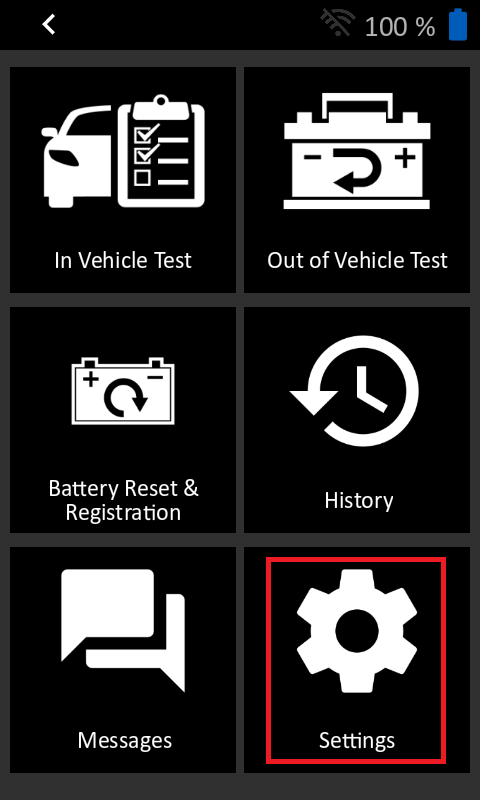
- From the Main Menu on the JDT, select “Settings”
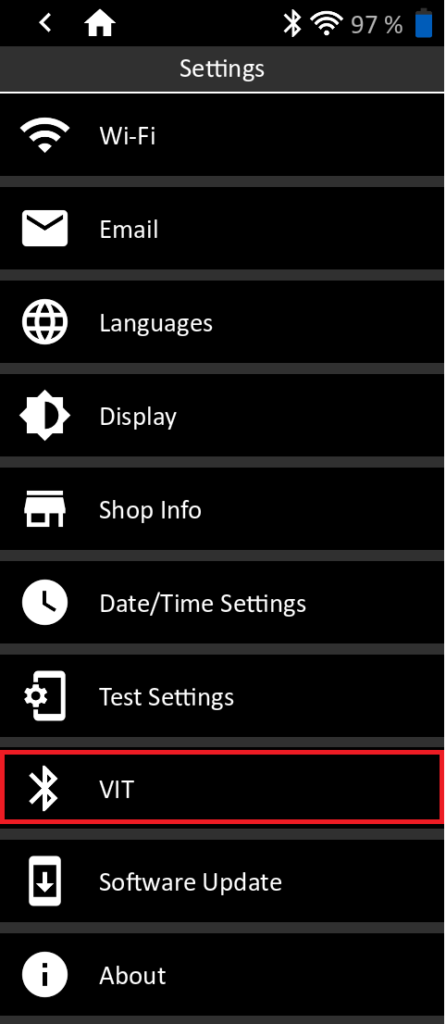
- In Settings, select “VIT”
- Tap “+ Pair a new device”

- Connect VIT Device by following the on screen instruction. Plug in VIT when instructed to do so. DO NOT power on the vehicle. Tap Next when steps are complete
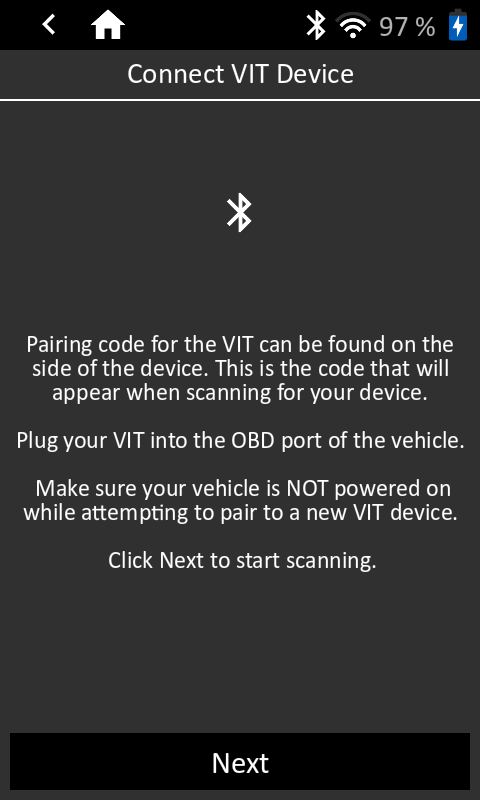
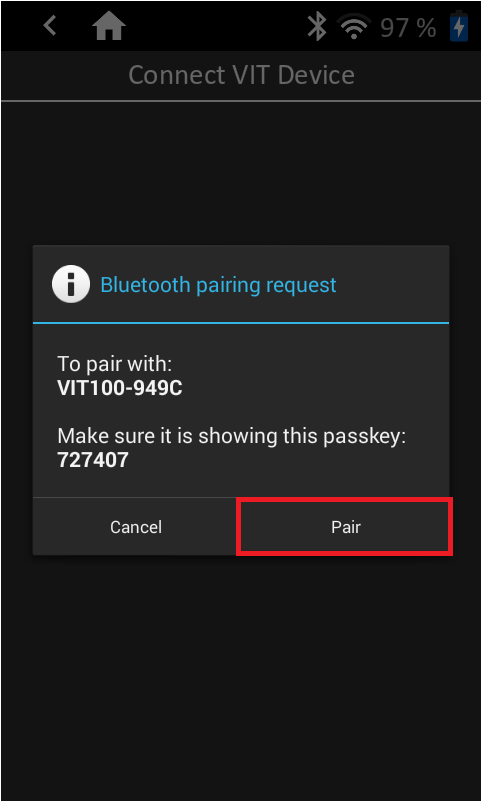
- Select VIT based on Pairing Code

- Confirm Pairing Code and tap “Pair”
- VIT will appear on Paired VIT Device List
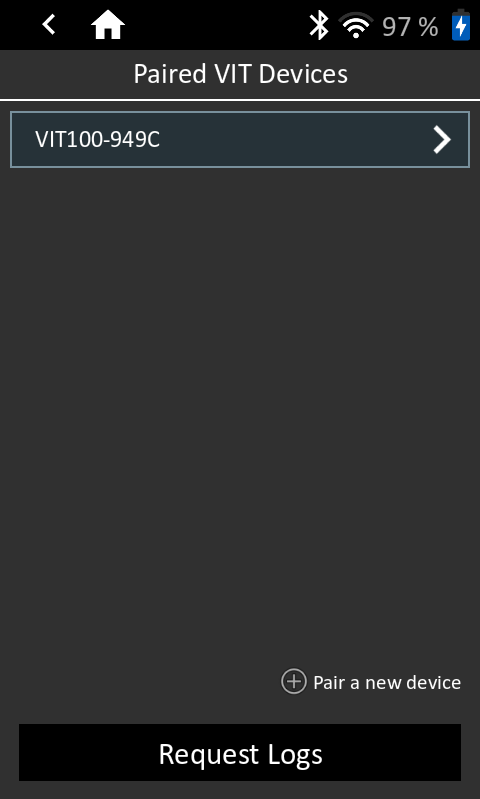
- Return to Home Screen – JDT and VIT are ready to perform Battery Registration

Pairing Process Option 2 – During First Battery Registration:
- Do NOT plug the VIT-100 into the vehicle’s OBDII port until directed to do so.
- Tap the Battery Reset and Registration App
- Complete the initial steps of the battery registration process.
- If there are no VIT’s paired with the JDT (as show below), tap “+ Pair a new device”

- Complete pairing instructions starting with steps 5-8 of Pairing Option 1 (shown above)
- Select VIT-100 device that is now paired with JDT.

- Continue with Registration process